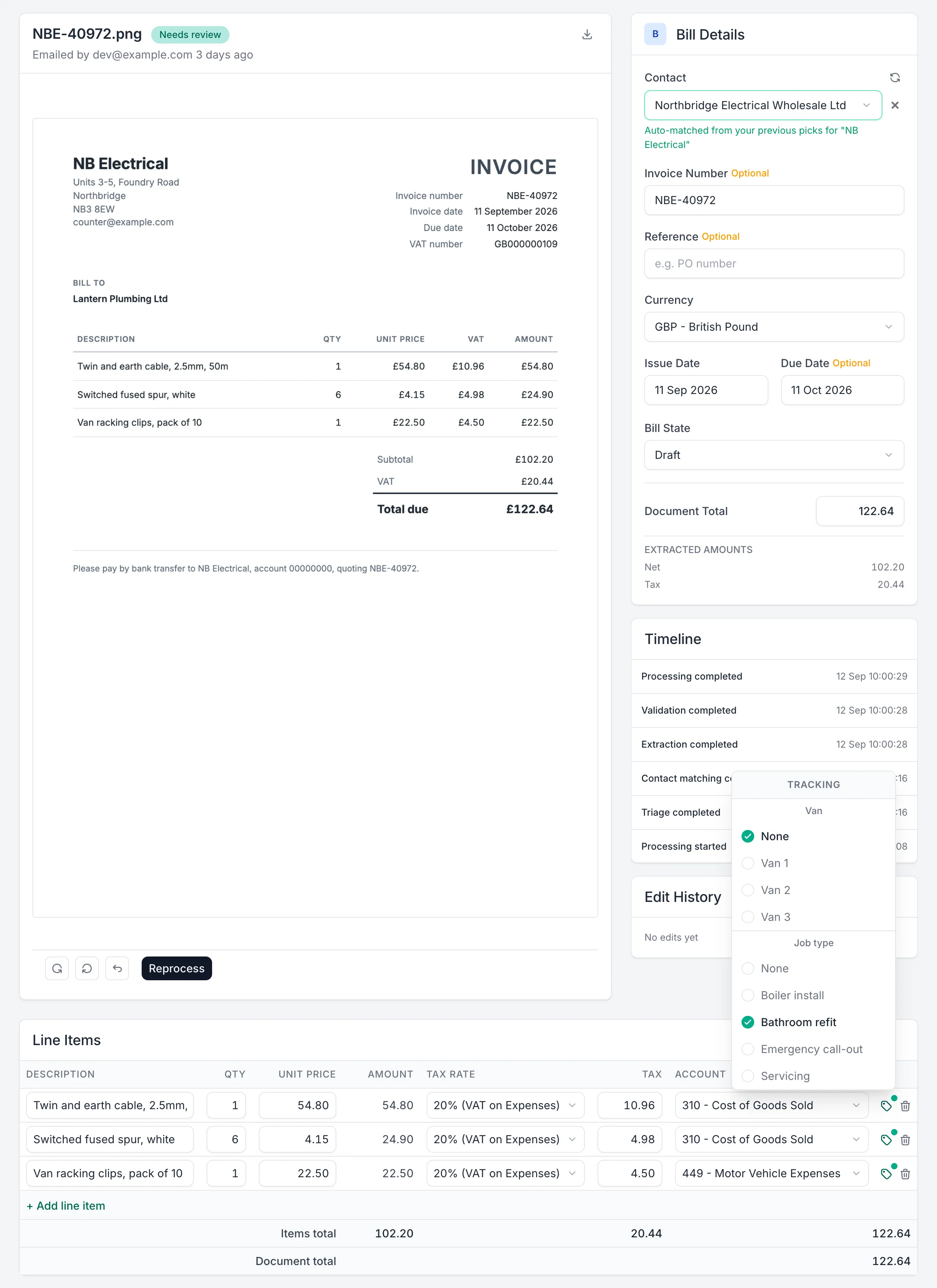
You check each document, then publish it to the client's Xero organisation with the line items and the original attached. Nothing reaches Xero until someone in your practice has reviewed it and clicked Publish.
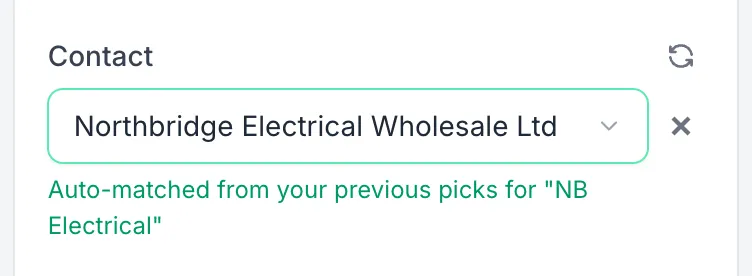
Otto learns one client at a time. His suggestions draw on the bills you've published through Capture for that client, including any changes you made in review. Bills already in Xero from before you connected the client aren't part of that history, so it builds up as you publish. For a supplier the client hasn't used before, he suggests a code from the document alone. He does the same where he isn't sure he has matched the right contact.
We run an accounting practice, and our clients are on Xero. We tried a lot of receipt capture tools, and none had the mix of features and pricing that worked for our clients. The small rough edges added up too, using them day in, day out.
So we built Otto Capture around the jobs that took our time. Clients send documents without creating an account. Missing receipts are chased from one list, not a spreadsheet. And every line is read and given a suggested code from that client's own history.
Otto publishes bills and sales invoices to Xero, and the credit notes against both.
Each line item you've reviewed becomes a line on the bill or invoice in Xero, with its account code and tax rate. If the client uses tracking categories, you set them on each line during review, and they publish with it. Otto doesn't suggest tracking categories.
You choose the state each client's bills and sales invoices arrive in: Draft, Awaiting approval, or Awaiting payment, and you can change it for a single document during review.
Otto attaches the original document to the bill, invoice, or credit note in Xero, up to 10 MB. Where Xero won't take the file type, such as an iPhone photo saved as HEIC, Capture attaches a converted copy instead. Each bill and sales invoice also carries a link back to the document in Capture.
Otto matches the supplier or customer on each document to the client's Xero contacts. He remembers which contact you published each supplier name against, for that client. Where a name doesn't match a Xero contact exactly, he uses that to match the next document. If the contact isn't in Xero yet, you can create it during review, and Capture adds it to Xero when you publish.
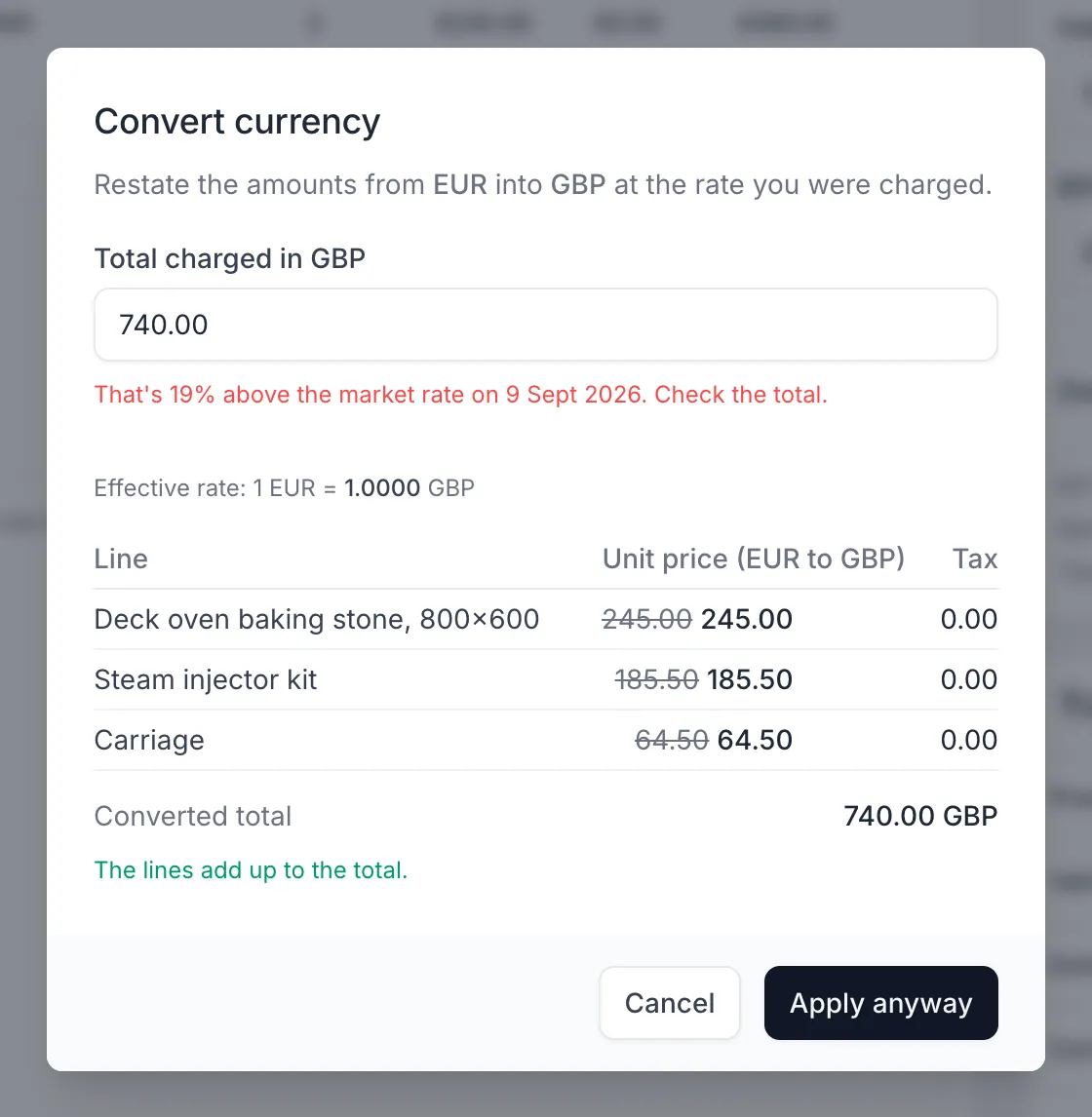
How a foreign currency document reaches Xero depends on the client's Xero plan, because multi-currency isn't on every plan. Capture asks Xero what the organisation can do, and offers only what it can.
To convert, enter the total the client was actually charged. Otto restates every line at that rate and puts anything left over from rounding on the most suitable line, so the lines add up to your total exactly. He also compares your total with the market rate on the document's date. If it's well out, he asks you to check it before applying, which catches a mistyped figure.
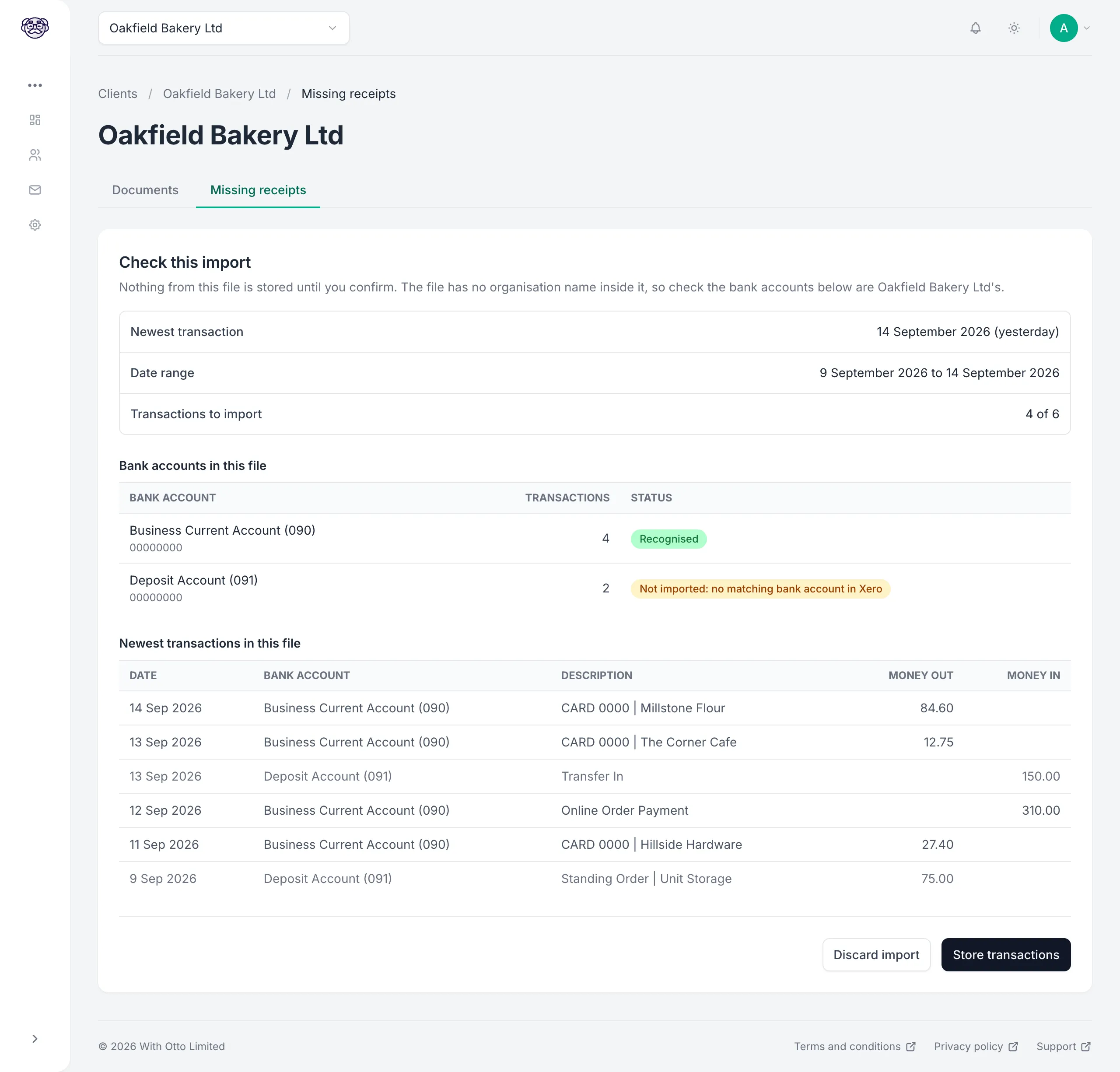
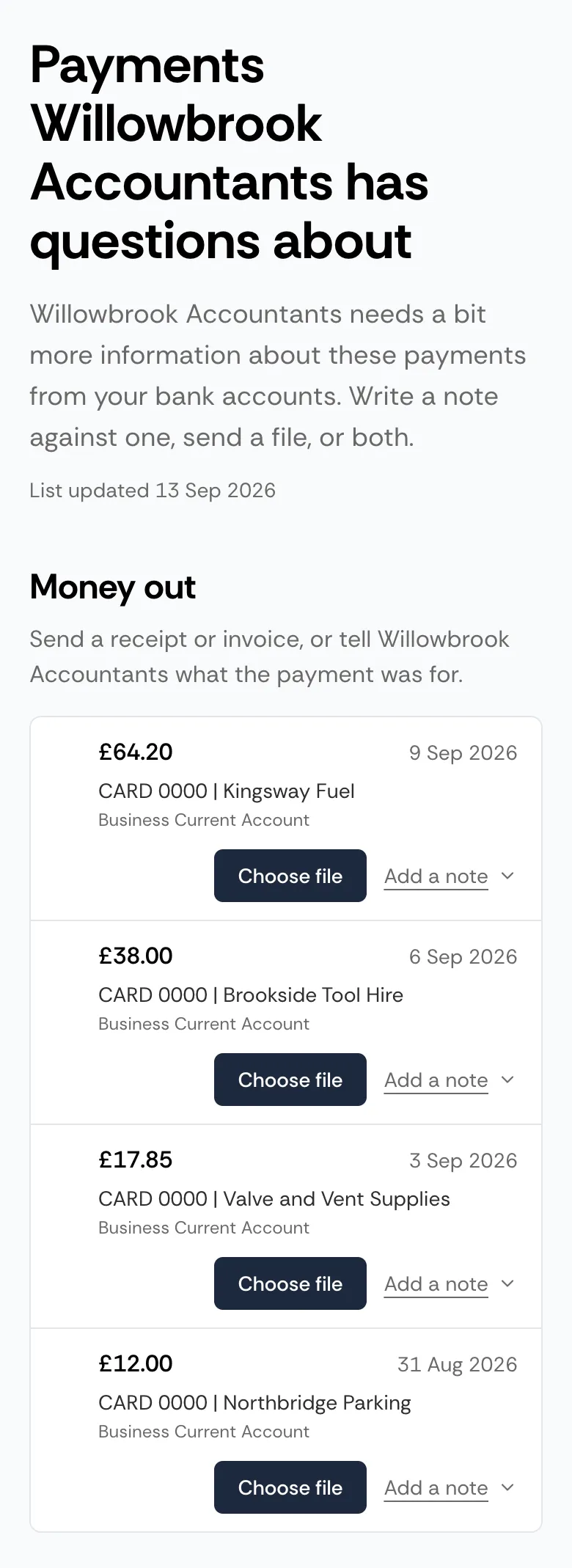
For clients on Xero, Capture turns the payments you have no paperwork for into a list the client answers.
The link can go to whoever can find the receipts. That might be several people at the client, such as the people who hold the company cards. Your contact at the client can pass it on, or you can send it to each person yourself. Anyone with the link can see the date, description, amount, and bank account of each payment on the list, and your admins can replace the link or switch the page off at any time.
Capture reads only the file you upload. It doesn't read bank transactions through the Xero connection, and it doesn't reconcile anything in Xero. Importing and preparing lists costs nothing extra. The full steps are in the step-by-step guide to missing receipts.
Each client in Capture connects to one Xero organisation. You add the client, choose Xero, and pick the organisation on Xero's own authorisation screen.
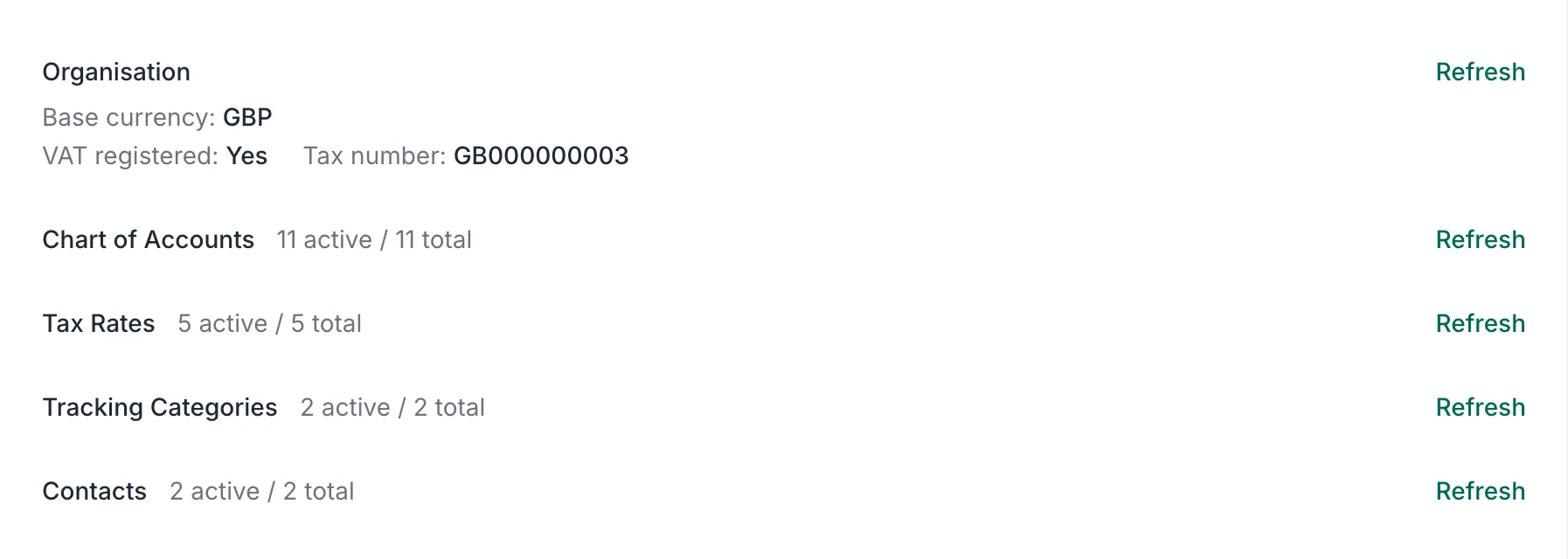
Capture then brings across what Otto needs to code and publish: contacts, the chart of accounts, tax rates, currencies, and tracking categories. If you add an account code in Xero later, refresh the client's data in Capture to bring it across.
You can also start from the Xero App Store. Capture signs you in with your Xero login and fills in what it can.
Permissions, and everything Capture brings across, are covered in Otto Capture's Xero guide.
Each client has its own email address, submission page, and WhatsApp invite link. You choose which of them to give the client, so they use the routes that suit them and your practice.
Whoever holds the receipts uses the route that suits them. They don't create an account or install anything, and you don't register them in advance. You can also upload files yourself. Everything arrives in the same review queue, whichever way it's sent. There's more on each route on the Otto Capture page.
Otto Capture is priced per client, per month, on three tiers, and each client sits on whichever tier costs least for what it published that month.
£9per client, per month
£15per client, per month
£29per client, per month
Prices exclude VAT. Full pricing is on the Otto Capture page.
Pick the Xero client whose paperwork takes longest each month. Connect them, send in a week of their receipts and bills, and review them with every line already read and a code suggested. Then send their missing receipts link instead of this month's spreadsheet.
Otto Capture is available to UK accounting and bookkeeping practices, and it's free for 30 days.